What Is the Google Maps MCP Server?
The Google Maps MCP Server is an open-source Model Context Protocol server that exposes Google Maps Platform APIs to MCP-compatible AI clients. It gives language models direct access to geocoding, place search, directions, distance matrix calculations, and elevation data — without requiring custom API wrapper code for each query. This google maps mcp server setup guide covers everything from install to known edge cases.
If you’re already running other MCP integrations — the Google Calendar MCP Server and Google Drive MCP Server follow a near-identical auth pattern, so the credential setup below transfers directly.
Quick Facts
| Field | Value |
|---|---|
| Package | @modelcontextprotocol/server-google-maps |
| Install | npx -y @modelcontextprotocol/server-google-maps |
| Compatible with | Claude Desktop, Cursor, any MCP-compliant client |
| Status | Active — maintained by Anthropic MCP team |
| GitHub | github.com/modelcontextprotocol/servers |
What You Can Do With It
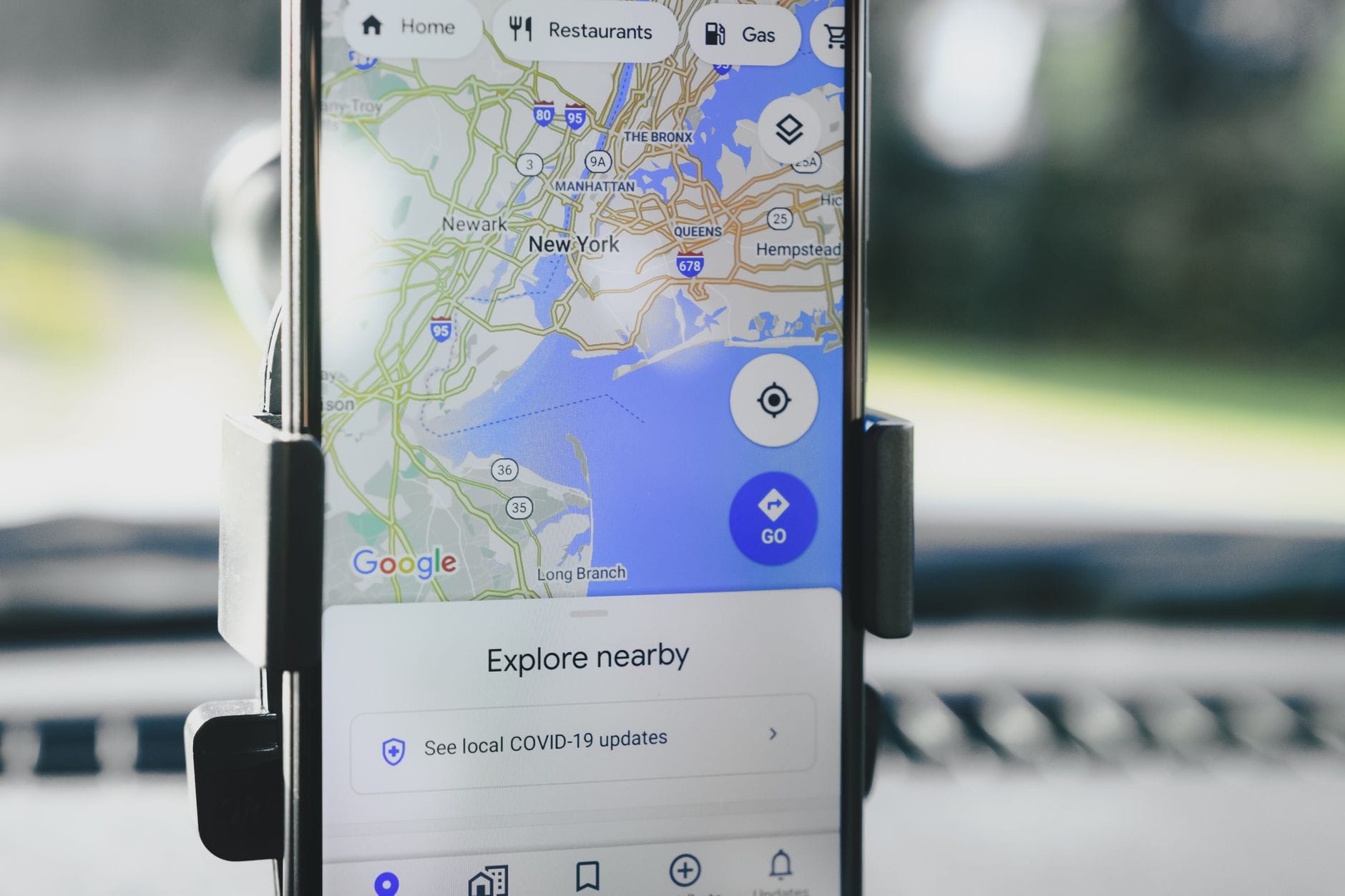
- Geocode addresses — convert plain-text addresses to lat/lng coordinates in a single tool call
- Reverse geocode — turn coordinates into human-readable addresses
- Place search — query nearby businesses, landmarks, or POIs by type and radius
- Place details — retrieve ratings, hours, phone numbers, and website for any Place ID
- Directions — get step-by-step routes between two or more waypoints across driving, walking, cycling, and transit modes
- Distance matrix — calculate travel time and distance between multiple origins and destinations simultaneously
- Elevation — fetch terrain elevation data for a set of coordinates
This makes it practical for logistics agents, field-service scheduling bots, and content tools that need real-world location context. For AI agents that also need to fetch live web data, pair this with the Exa MCP Server for search grounding.
How to Set It Up
Step 1 — Get a Google Maps API key
Enable the following APIs in Google Cloud Console: Maps JavaScript API, Places API, Directions API, Distance Matrix API, Geocoding API, Elevation API. Restrict the key by IP or referrer for production use.
Step 2 — Install the server
npx -y @modelcontextprotocol/server-google-maps
Step 3 — Configure your MCP client
Add the following block to your claude_desktop_config.json (Claude Desktop) or equivalent client config:
{
  "mcpServers": {
    "google-maps": {
      "command": "npx",
      "args": ["-y", "@modelcontextprotocol/server-google-maps"],
      "env": {
        "GOOGLE_MAPS_API_KEY": "YOUR_API_KEY_HERE"
      }
    }
  }
}
Step 4 — Restart the client and verify
Restart Claude Desktop or your MCP client. Run a test prompt: “What is the lat/lng of 1600 Amphitheatre Parkway, Mountain View, CA?” A successful geocode response confirms the connection.
Works Best With
- Claude Desktop — native MCP support, zero additional setup beyond the config file
- Cursor — works with Cursor’s MCP tool-call pipeline for location-aware coding agents
- Custom MCP clients — any client implementing the MCP spec 1.0+ connects without modification
For teams building multi-tool agents, the AWS MCP Server and Supabase MCP Server pair well for storing and processing location data returned by this server.
Known Limitations
✅ Pros
- Covers 7 distinct Google Maps API surfaces in one install
- Single environment variable for auth — no OAuth flow required
- Maintained in the official Anthropic MCP servers monorepo
- Works with any MCP-compliant client without modification
❌ Cons
- Google Maps Platform billing applies — free tier covers $200/month credit, but high-volume agents exhaust this quickly
- No support for Maps Static API or Street View imagery (text-only responses)
- Place search results are capped by the underlying Places API pagination limits
- No built-in caching — repeated identical queries consume API quota
- Requires Node.js 18+ at runtime

Community Resources
- Official MCP Servers repo — github.com/modelcontextprotocol/servers — source, issues, and PRs
- MCP Discord —
#mcp-serverschannel for setup questions and community configs - Google Maps Platform docs — developers.google.com/maps — API-level reference for each endpoint this server exposes
- MCP spec — modelcontextprotocol.io — client compatibility and protocol version details
Final Verdict
The Google Maps MCP Server delivers reliable access to Google’s location APIs with a single environment variable and a two-minute config edit. It’s the fastest path to adding geocoding, routing, and place data to any MCP agent stack. The main constraint is cost: production agents with frequent location queries will hit Google Maps Platform billing fast, so set budget alerts before deploying at scale.
FAQ
Does the Google Maps MCP Server require a paid Google Cloud account?
Google Maps Platform requires billing to be enabled, but new accounts receive a $200/month free credit. Low-volume agents typically stay within this limit.
Which Google Maps APIs does this server expose?
Geocoding, reverse geocoding, Places (search + details), Directions, Distance Matrix, and Elevation. Static Maps and Street View are not supported.
Can I use this server with Cursor or other non-Claude clients?
Yes. Any client that implements MCP spec 1.0+ connects using the same JSON config block. See the Cursor vs GitHub Copilot comparison for client capability differences.
How do I restrict my API key for security?
In Google Cloud Console, set HTTP referrer restrictions for browser use or IP address restrictions for server-side agents. Scope the key to only the APIs listed in Step 1.
Is there a rate limit on tool calls?
The server itself imposes no rate limit. Limits come from the Google Maps Platform API quotas set in your Cloud Console project. Default QPS limits apply per API.